This article is about how to clear your internet browser cache, sometimes when you do not do this it can slow up your internet browsing.
- The most common way to do this is to press CTRL and F5, this will refresh the page fully
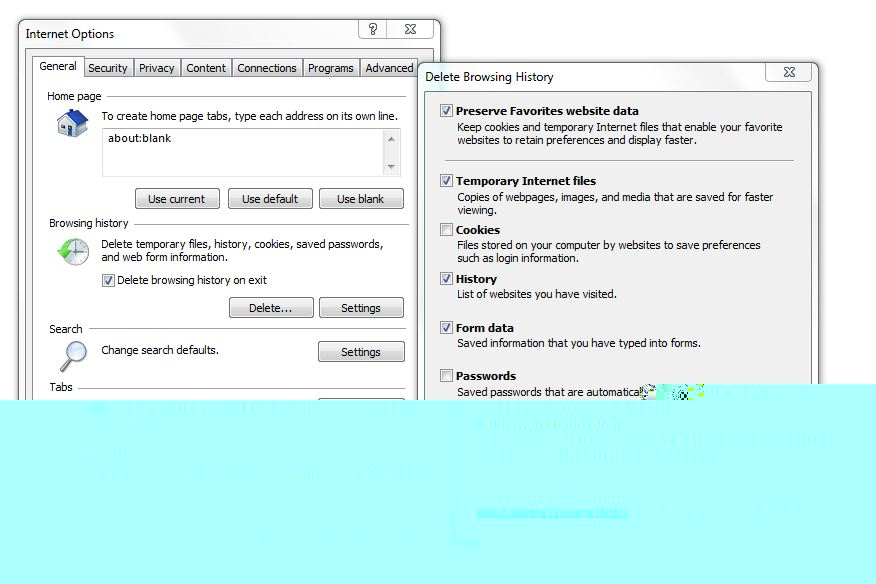
- For internet explorer you will have to go into ‘Tools’, then ‘Internet Options’ and choose ‘Delete..’.
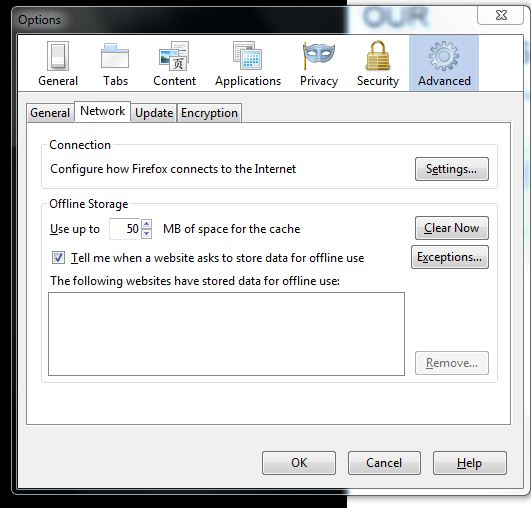
- For FireFox you will have to go into ‘Tools’, then ‘Options’ and chose ‘Clear Now’.
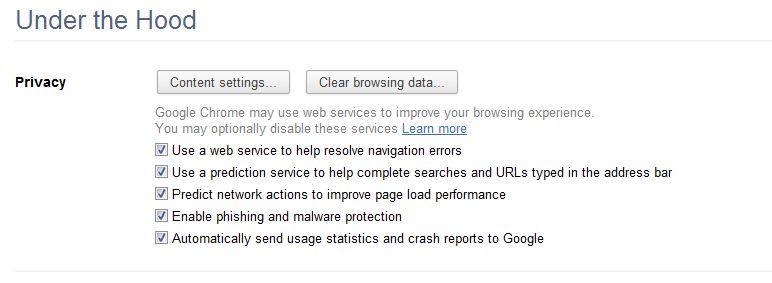
- For Google Chrome you will have to go into ‘Tools’, then ‘Options’ and select ‘Clear Browsing data…’.



Comments are closed.