In this WordPress beginners video tutorial we show (in just over one minute) how to insert an image into a post or page on your WordPress website. We hope find it useful! If you have any questions we would be so excited if you left a comment or some feedback or joined us on our […]
Archive | WordPress RSS feed for this section

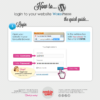
WordPress Video: How to login to WordPress
WordPress beginner video tutorial in which Heidi shows you quickly how to login to your WordPress video. And what to do if you can’t remember your username or password. Or check out our infographic for an overview on how to login to WordPress. Or follow these step by step instruction with text and images: http://www.webtweaks.ie/lost-your-password-or-logins-for-your-wordpress-website/
Share it!

WordPress Video: How To Create a new Post or Page
In this quick WordPress beginners video tutorial Heidi will show you how to create a new post or page in WordPress. We would love your feedback or questions – please leave a comment below or join the discussion on our Facebook page where we also welcome questions. The very basics:
Share it!


Infographic: How to Edit a Page in WordPress
A new way of seeing things! We’re trying out a new way of presenting “How Tos” – using an graphical style of presenting this tutorial. What do you think? Do you prefer a video or just a simple post? Or perhaps some other way?
Share it!


Lost your password or logins for your WordPress website?
Lost your WordPress website password or login username? Follow these simple steps to retrieve them: go to the WordPress login url: this will something like: www.your-website.com/wp-admin/ The “/wp-admin/” add the end of the url is the important bit. You will see the login screen. At this point you just need to click on the “Lost your […]
Share it!


Formatting your phone number on your website for easy smartphone calls
When people visit your website on smartphones (e.g. iPhone or Andriod) it’s a good idea to format your telephone numbers so that they are able to click on your phone number and have it dial directly from their phone. Well that’s easy to do. Just format your phone numbers like this +countrycode areacode phonenumber For […]
Share it!


Adding Images to Your Article
In every blog or article on WordPress its good to have images on a page, it gives the user a better experience and also gives a bit of style to your article or blog. Adding Images In the text editor place your cursor where you want the image to appear. Click the ‘Add an image’ […]
Share it!


Embedding a YouTube Video on WordPress 3.1+
Embedding a video in WordPress 3.1 and later versions is even easier than before. Follow these easy steps to display your video on your website. NOTE: for older versions of WordPress (up to version 3) please see this article on how to embed a YouTube video on your website using WordPress 3.0 and lower Step […]
Share it!


How to Resize Images for your Website
Digital cameras these days come with such high specs that your photos are likely too large to insert on the pages of your website. When displaying images to your website, we recommend they are approx. 800 x 600 pixels Why are smaller images better for the web? they load quickly – large images have large […]

Help to prevent comment spam on your WordPress website.
This quick tip shows you how to prevent some of the spam coming from the comments form on blog posts of your WordPress website. Comment spam is pretty incredibly annoying! Even if you moderate each comment that is left on your posts you are still left with the task of sifting through masses of SPAM […]
Share it!